
Build the whole game, not just the asset.

GameRivet turns a game brief into planned, reviewed, engine-ready work—through the flagship Windows workstation or private Cloud access.

Windows x64 Version 0.18.1 Cloud access available
GameRivet Project workspace
Production ready
Active production brief Mountain world starter kit
In review
Pixel-art mountain environment produced through GameRivet
Production route World art
Brief
Grounded
Variants
Reviewed
Catalog
Approved
Handoff
Ready
One production loop from grounded brief to approved handoff.
Two purpose-built ways in
01 / Product

One system. Two purpose-built entry points.

Start where the work demands it. Windows carries the complete production environment; Cloud keeps the hosted loop close wherever you are.

01
Windows workstation · Flagship

The complete workstation.

Bring local and cloud generation lanes into one local-first environment, with mesh tooling, engine handoffs, and direct project integration.

  • Local + cloud lanes
  • Mesh and engine tooling
  • Direct project handoff
Download v0.18.1
02
Cloud access · Browser

The production loop, in your browser.

Open a private workspace for cloud generation, review, and downloadable handoffs—without claiming the desktop-only mesh and direct engine lanes.

  • Private workspaces
  • Cloud generation + review
  • Downloadable handoffs
Open Cloud
02 / Workflow

From first brief to approved handoff.

  1. 01

    Brief

    Define the game, style, and concrete production need.

  2. 02

    Plan

    Director turns grounded gaps into work the system can route.

  3. 03

    Create

    Run visual, audio, animation, UI, VFX, and mesh lanes.

  4. 04

    Review

    Compare takes and approve catalog-ready results explicitly.

  5. 05

    Ship

    Package the approved handoff for the project or engine.

03 / System

A production system, not a prompt box.

Every surface has a job in the loop. Together they keep the brief, project context, generated work, review, and handoff connected.

01

Director

Plans grounded work and identifies missing pieces.

Plan work
02

Studio

Works with the project, code, and production context.

Build in context
03

Create

Routes specialist visual, audio, animation, UI, VFX, and mesh lanes.

Run specialists
04

Library + Vault

Records assets, approvals, project history, and game memory.

Keep the record
05

Review

Makes comparison and acceptance explicit before anything ships.

Approve deliberately
06

Engine handoff

Prepares approved work for Unity, Godot, and Unreal from Windows.

Desktop capability
04 / Product showcase

Real work from the system.

The work below comes from GameRivet’s committed product library—no substitute concept art and no invented customer gallery.

Pixel-art mountain world environment
Featured outputWorld art · Approved
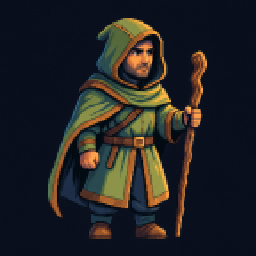
Game character sprite
Sprite
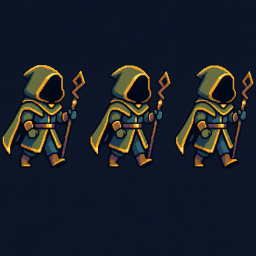
Animated game creature
Animation
Ornate fantasy instrument representing audio work
Audio
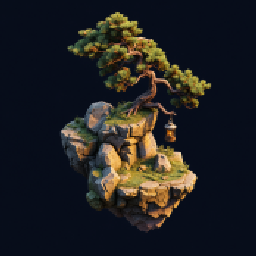
Floating bonsai environment mesh concept
Mesh
Fantasy game interface elements
UI
Blue magical effect
VFX
05 / What’s new

Built to keep moving.

Release notes, platform updates, and new production capabilities have a permanent home as GameRivet grows.

Windows release
0.18.1

Engine proofs are airtight: every asset proves itself in its own isolated scratch, and a wrong marker can never report ready.

The whole workspace on one rail with zero clutter, an installer that proves an upgrade is safe before it replaces a single byte, and the account spine underneath it all — sign in once, keep building offline, with credits that reserve before dispatch and never go negative.

Get the release
Cloud accessAvailable

Your private browser entry.

Open the hosted production loop for cloud generation, review, and downloadable handoffs.

Open Cloud
Product directionOne system

Two entries, clear boundaries.

Windows remains the complete workstation while Cloud carries the hosted loop wherever it is useful.

GameRivet

Choose where you build.